Instant download · Excel & Google Sheets · no macros All templates

For small businesses, HR & H&S leads

7 reasons to stop finding out about expired training too late

Certificates expiring, new starters missing their induction, someone asking who still needs fire safety? This training matrix keeps it all in one place.

  • Excel & Google Sheets, no macros
  • Example + blank file
  • Start-here guide
  • One-off price, no subscription
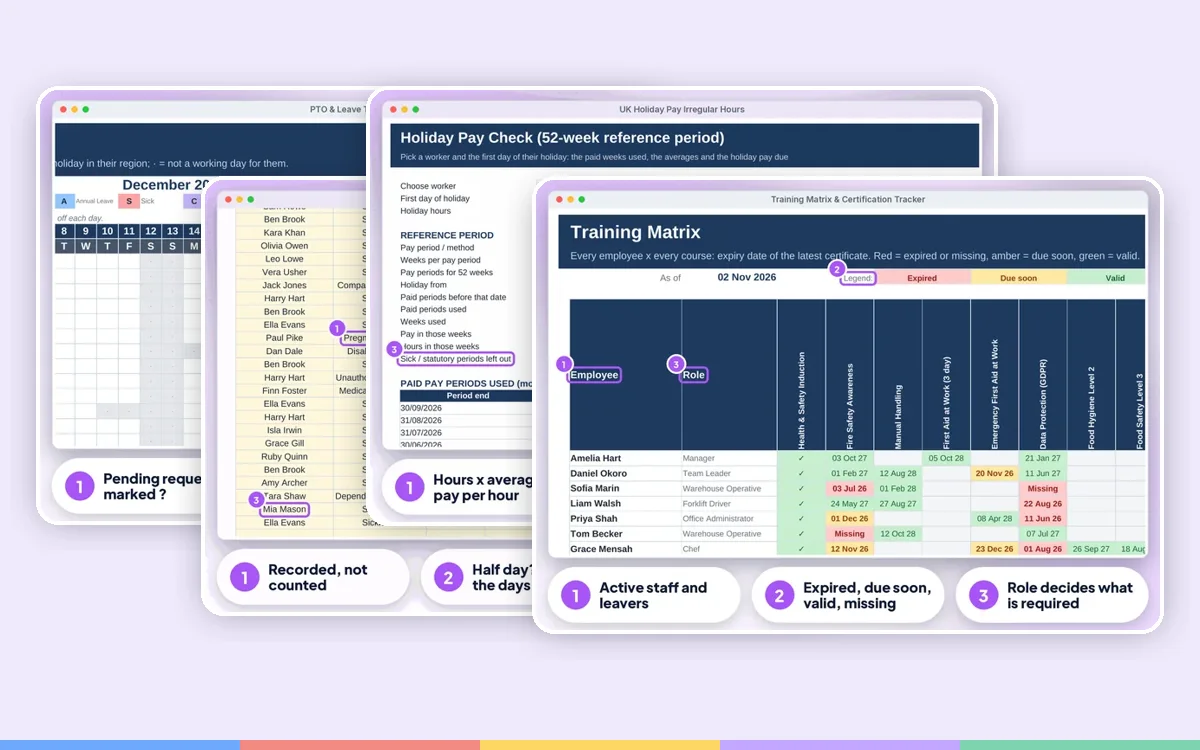
Training Matrix & Certification Tracker: annotated screen from the example file

Screens from the included example file. All names and figures are fictional.

100staff
2,000training records
4charts and the next 10 expiries
0macros, add-ons or subscriptions

The list

Why a ready-made tracker beats paper and a blank spreadsheet

01

Training Matrix

Every employee x every course with the expiry date of their latest certificate. Red = expired or missing, amber = due soon, green = valid, grey = not required
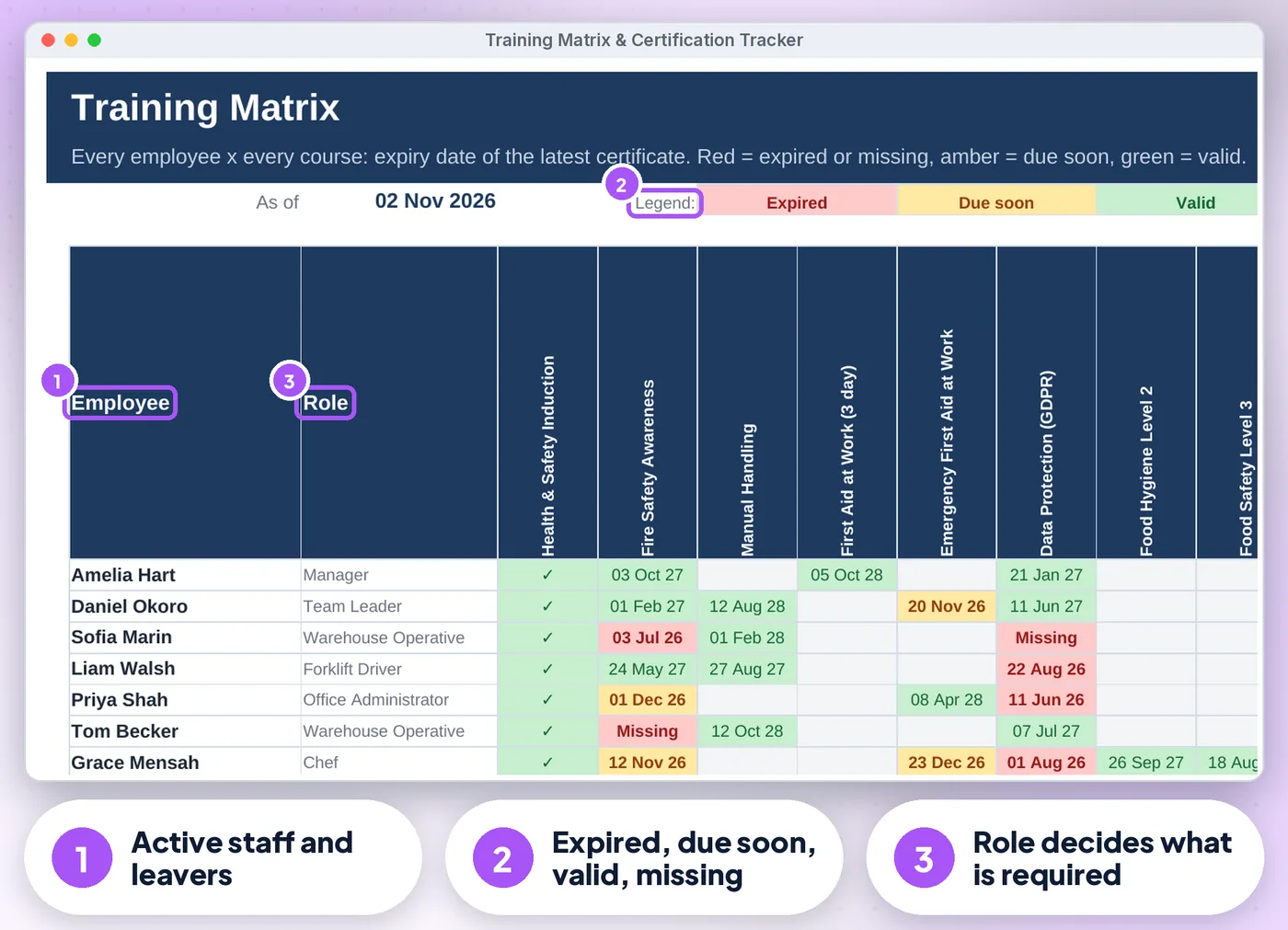
Training Matrix & Certification Tracker: annotated screen 1 from the example
02

Expiry dates worked out from each course renewal interval

(or type the date on the certificate)

Training Matrix & Certification Tracker: annotated screen 2 from the example
Get the tracker · £13.99 Instant download · Excel & Google Sheets
03

Requirements grid

Tick which courses each role needs, plus courses for all staff
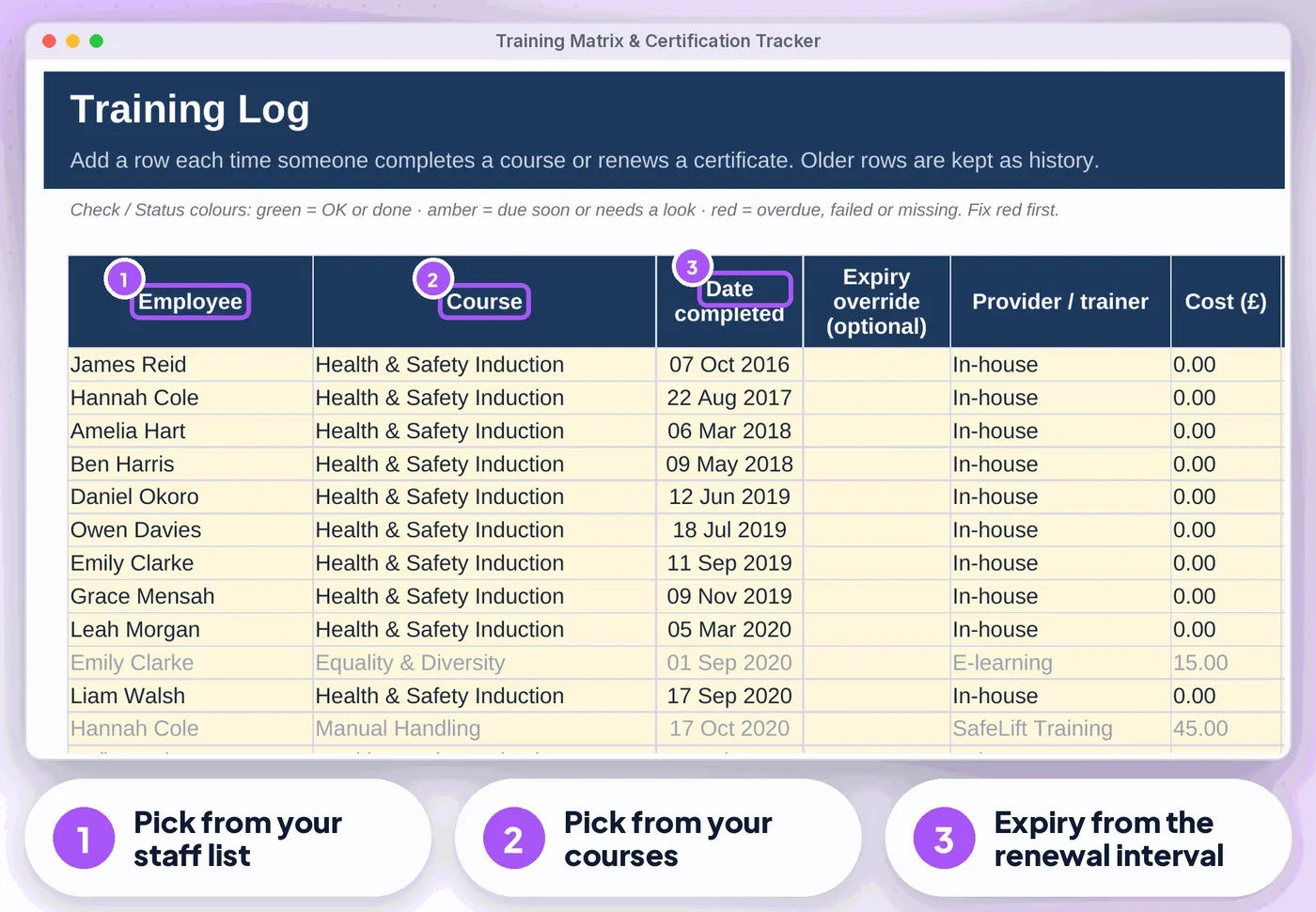
Training Matrix & Certification Tracker: annotated screen 3 from the example
04

Training Log for up to 2,000 records

Renewals mark older rows as Superseded, so history is kept

05

Employees tab for up to 100 staff with a per-person summary and overall status

Leavers stop counting

06

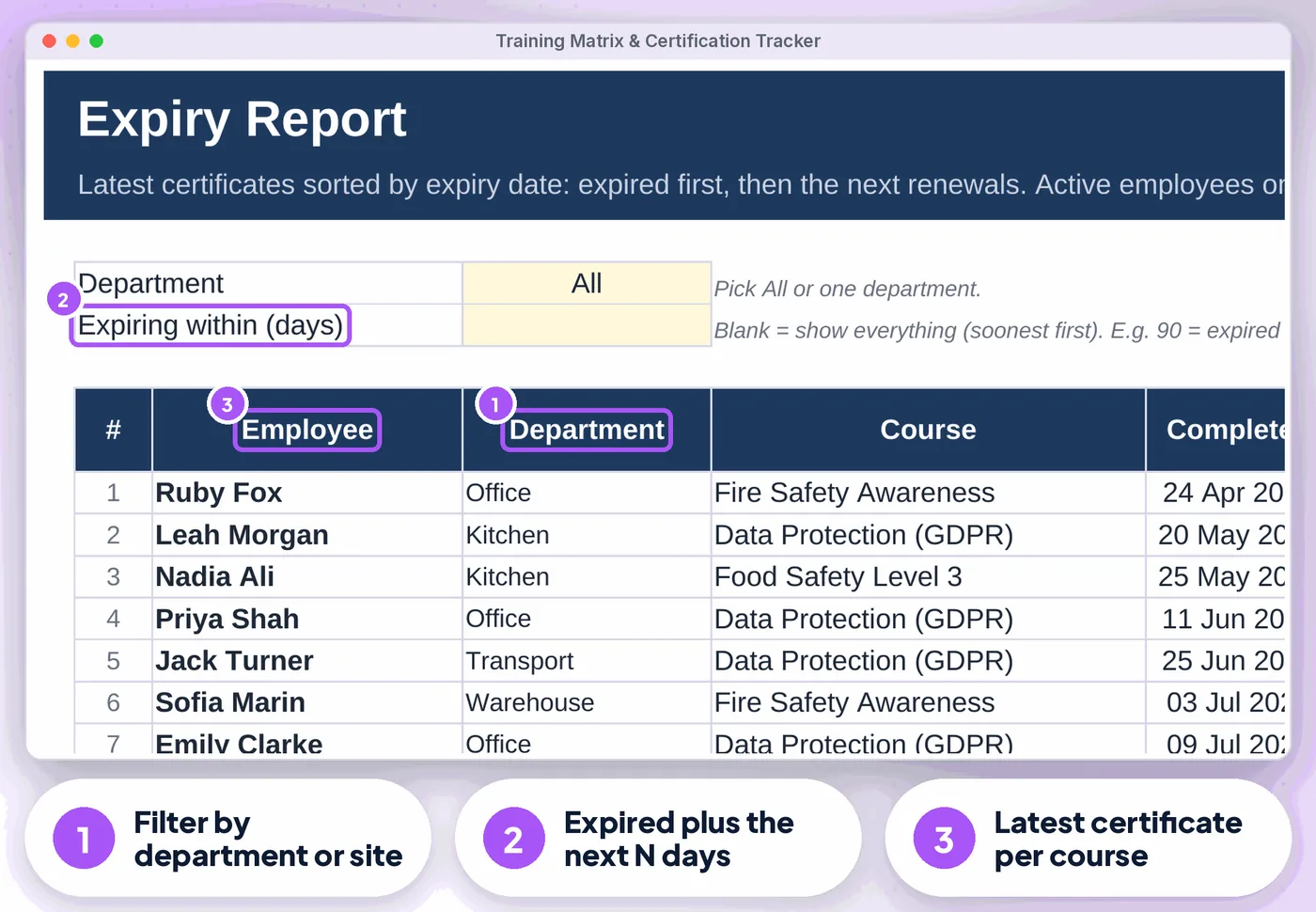
Expiry Report

Filter by department and "expiring within N days", soonest first, ready to print

07

Dashboard with compliance by course and department

Spend for the year, the next 10 expiries, four charts and a "What needs your attention" list

Get the tracker · £13.99 Instant download · stuck? Email us for help

Compare

Three ways to keep these records

FeaturePaper or notesA blank spreadsheetThis tracker
Training Matrix✗No~ If you build it✓ Built in
Expiry dates worked out from each course renewal interval✗No~ If you build it✓ Built in
Requirements grid✗No~ If you build it✓ Built in
Training Log for up to 2,000 records✗No~ If you build it✓ Built in
Expiry Report✗No~ If you build it✓ Built in
CostFree, plus your timeFree, plus your time£13.99 once

What's inside

Everything you download

3 files

  • XLSX Training-Matrix-Certification-Tracker.xlsxfilled with fictional example data (28 employees, 16 courses, 217 records) so you can see how it works
  • XLSX Training-Matrix-Certification-Tracker-BLANK.xlsxan empty copy, ready for your team
  • PDF Start-here.pdfone-page quick-start guide, including how to open it in Google Sheets

Also included

  • Flags unknown names or courses, text in date cells, future completion dates, duplicate names and roles not on the…
  • Currency label of your choice (£, €, $ or your own) on cost columns
  • Start Here tab with a 3-step plan and a health check

Good to know

  • A Health check on the Start Here tab and a Check/Status column on every log flag missing or odd entries
  • Dates follow your Excel or Google Sheets regional setting
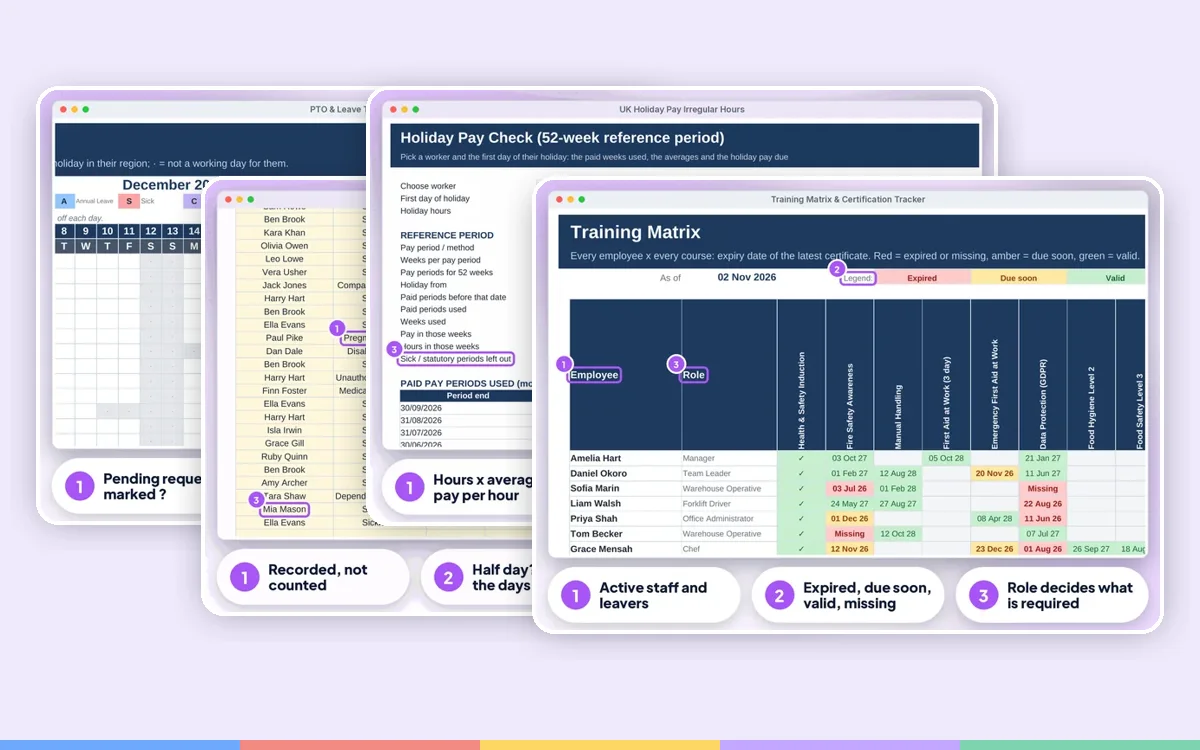
Training Matrix & Certification Tracker: another screen from the example
Training Matrix & Certification Tracker Screens from the included example file. All names and figures are fictional.

Is it right for you?

Made for some, honestly not for others

A good fit if you…

  • small and growing businesses, HR and office managers, health & safety leads, kitchens, warehouses, care and transport teams
  • use Excel or Google Sheets on a computer
  • want to pay once, not another subscription

Not for you if you…

  • need Apple Numbers or mobile-only editing
  • want someone to do the records for you

How it works

Three steps to get going

  1. 1

    Set up once

    Settings, then your courses and which roles need them

  2. 2

    Add your team with department and role

  3. 3

    Log each course as it is completed

    Book renewals from the Expiry Report.

Microsoft Excel2010 or newer (Windows & Mac) and Microsoft 365
Google SheetsFree Google account. Upload the .xlsx, then set the locale to United Kingdom
0
No macrosNothing to enable, no add-ons or subscriptions. Not designed for Apple Numbers or mobile-only editing. A computer is recommended
Training Matrix & Certification Tracker preview
  • Instant download
  • Example + blank file
  • Start-here guide

The offer

Master Training Matrix & Certification Tracker

£13.99one-off · no subscription

  • Filled with fictional example data (28 employees, 16 courses, 217 records) (Training-Matrix-Certification-Tracker.xlsx)
  • An empty copy, ready for your team (Training-Matrix-Certification-Tracker-BLANK.xlsx)
  • One-page quick-start guide, including how to open it in Google Sheets (Start-here.pdf)
  • Licensed for use within one business or household
Buy now · £13.99

Price includes VAT where applicable — calculated at checkout. Secure checkout by Payhip.

Questions? Email info@phkmedia.co.uk Stuck after you buy? We'll help you set it up.

Digital download, nothing is posted. This tracker is a record-keeping aid, not legal or health and safety advice. Terms & licence.

FAQ

Questions people ask

Does it send reminder e-mails?

No. Open the Expiry Report or Dashboard to see what is due.

Can I rename courses, roles or departments?

Yes. Names are text, so update old rows too (Find & Replace).

Can managers share it?

Yes, in Google Sheets you can share it.

What happens after I pay?

This is a digital product. Nothing physical will be shipped. Your download link appears straight after checkout and is also emailed to you.

Can I get help if I'm stuck?

Yes. Message us at info@phkmedia.co.uk and we'll help you set it up.

Stop doing it the hard way. Get the Training Matrix & Certification Tracker.

Get the tracker · £13.99