
01
Balances for every employee
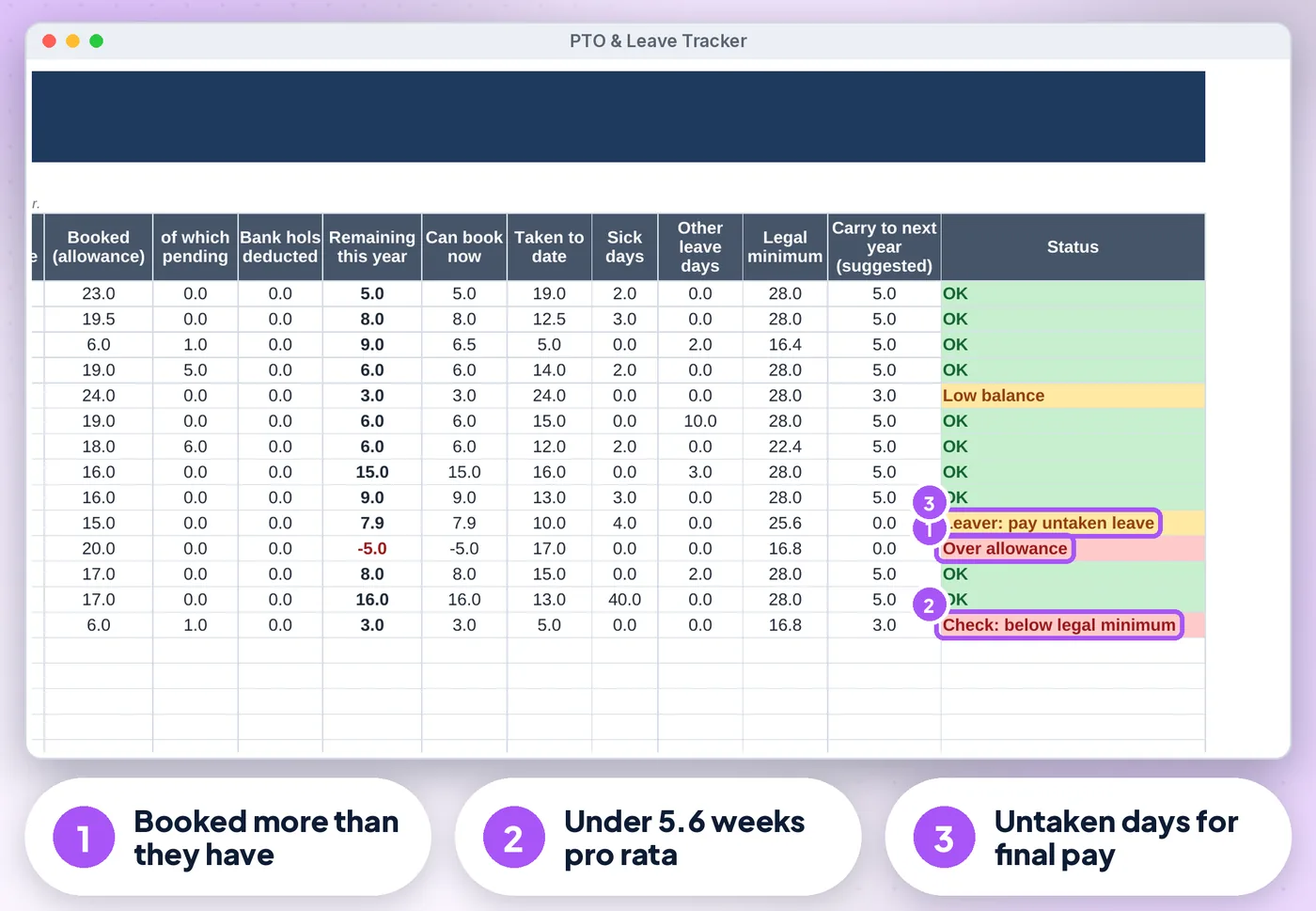
Allowance, bank holidays on their work days, entitlement this year, earned to date, carry-over in and lost, booked, pending, remaining, can book now, sick days and a status
For UK small businesses & team leads
Know every employee's holiday balance today, who is off next, and what needs your attention, without HR software or a monthly fee.
Screens from the included example file. All names and figures are fictional.
The list
Allowance, bank holidays on their work days, entitlement this year, earned to date, carry-over in and lost, booked, pending, remaining, can book now, sick days and a status
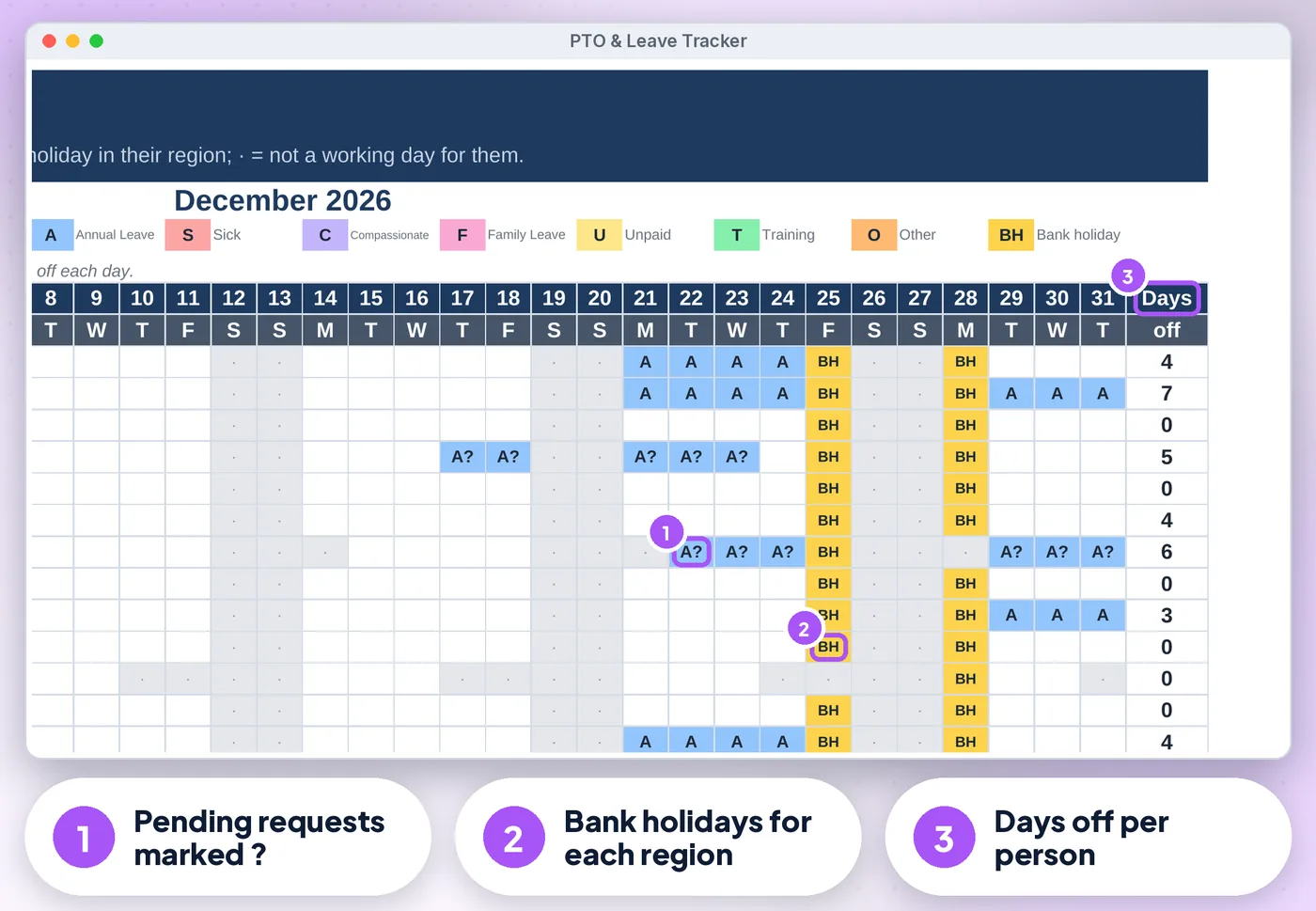
(gov.uk), chosen per person, plus your own closure days
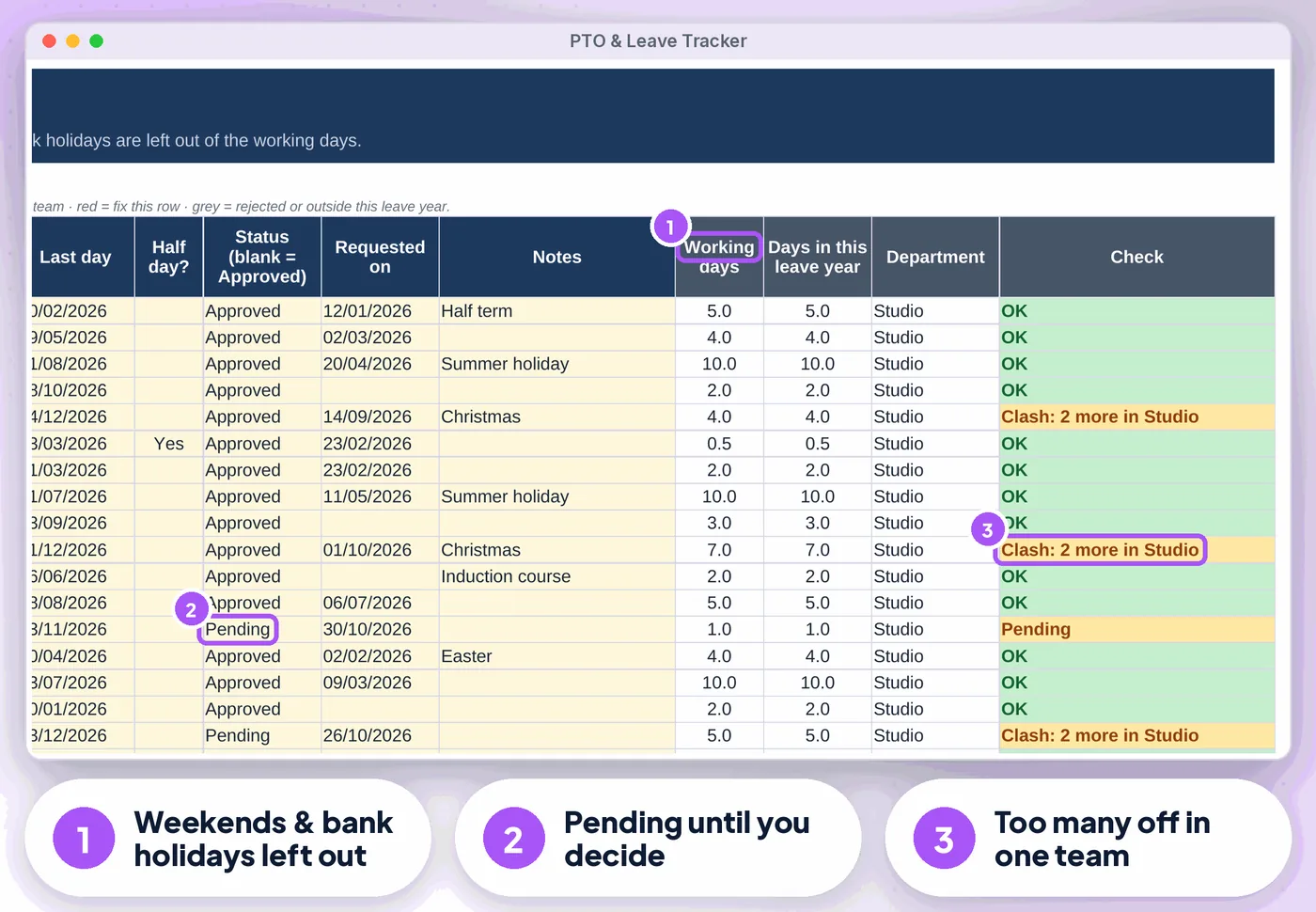
Give each person a work pattern (e.g. Mon–Wed or Sun–Thu); the allowance is pro-rated and only their working days count
Deducted automatically on each person's working days
Up front or one-twelfth a month (e.g. first year in the job), starters and leavers pro-rated, untaken leave shown for a leaver's final pay
Your cap and use-by date, with "protected" carry-over for leave missed through sickness or family leave
Clashes in a department, short notice (2 x days + 1), overlapping bookings, leave outside employment, text in dates, and a 5.6-week legal-minimum check per person
Compare
| Feature | Paper or notes | A blank spreadsheet | This tracker |
|---|---|---|---|
| Balances for every employee | ✗No | ~ If you build it | ✓ Built in |
| Part-time and shift patterns | ✗No | ~ If you build it | ✓ Built in |
| Bank holidays on top of the allowance or included in it | ✗No | ~ If you build it | ✓ Built in |
| Accrual | ✗No | ~ If you build it | ✓ Built in |
| Carry-over | ✗No | ~ If you build it | ✓ Built in |
| Cost | Free, plus your time | Free, plus your time | £16.99 once |
What's inside
Is it right for you?
How it works
Leave year, full-time allowance, bank holiday rule, carry-over and work patterns on Settings (about 5 minutes)
One row per person on Employees, with region and work pattern
One row per booking on the Leave Log. Balances, both calendars and the Dashboard update themselves
The offer
£16.99one-off · no subscription
Price includes VAT where applicable — calculated at checkout. Secure checkout by Payhip.
Digital download, nothing is posted. This tracker is a record-keeping aid, not legal or HR advice. Terms & licence.
Bundle
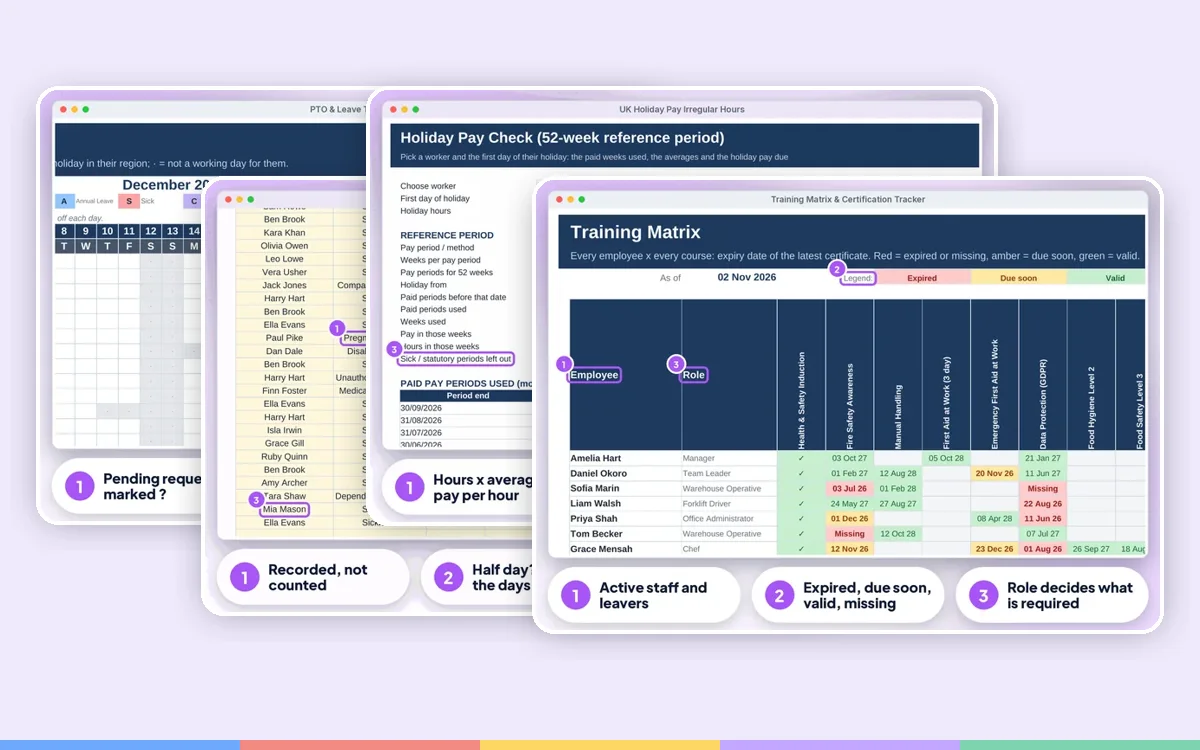 Employer Complete BundleIt's Monday, someone has called in sick, a new starter needs a right to work check, the tronc is due and the fire alarm test was last week, or was it?
£84.99£137.90 one by one
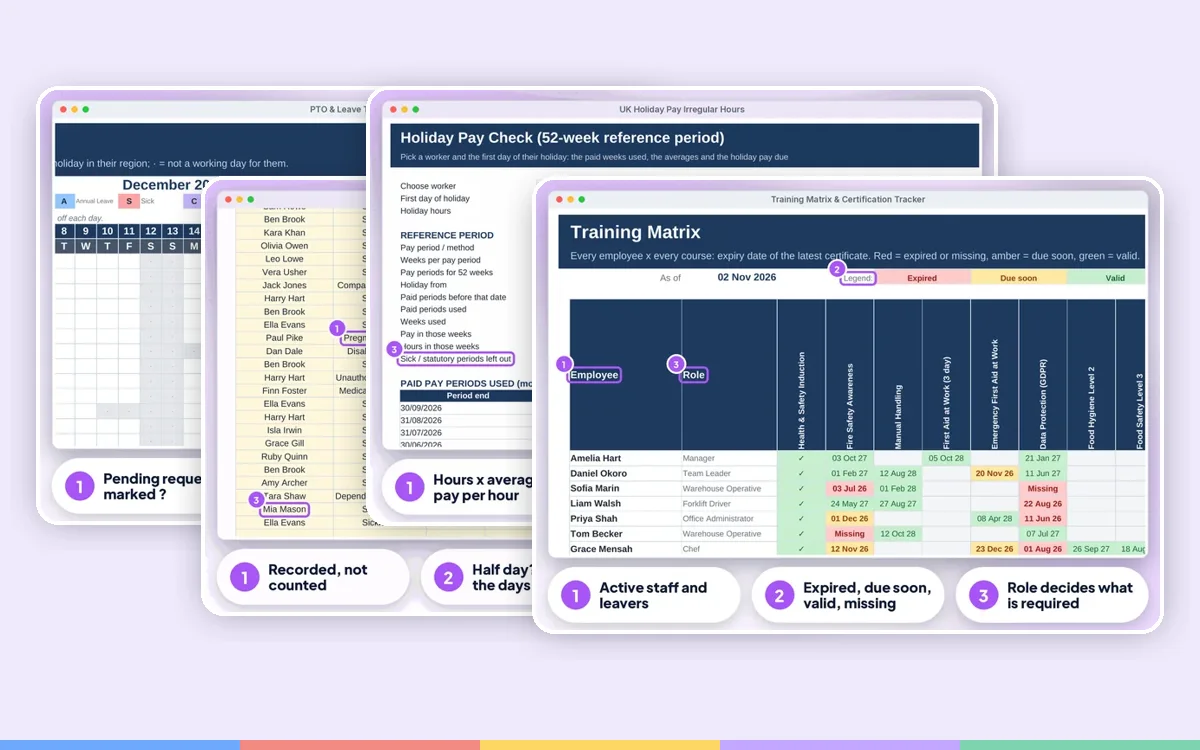 HR & Absence BundleWho is off next week, whose sickness is becoming a pattern, what holiday pay is your casual worker owed, and whose forklift ticket runs out this…
£42.99£69.95 one by one
FAQ
No, it is one file kept by the person who approves leave. Share a view-only copy in Google Sheets if your team wants to see the calendar.
You can view it in the Google Sheets app, but entering data is easiest on a computer.
This is a digital product. Nothing physical will be shipped. Your download link appears straight after checkout and is also emailed to you.
Yes. Message us at info@phkmedia.co.uk and we'll help you set it up.