
01
Fair shares to the penny
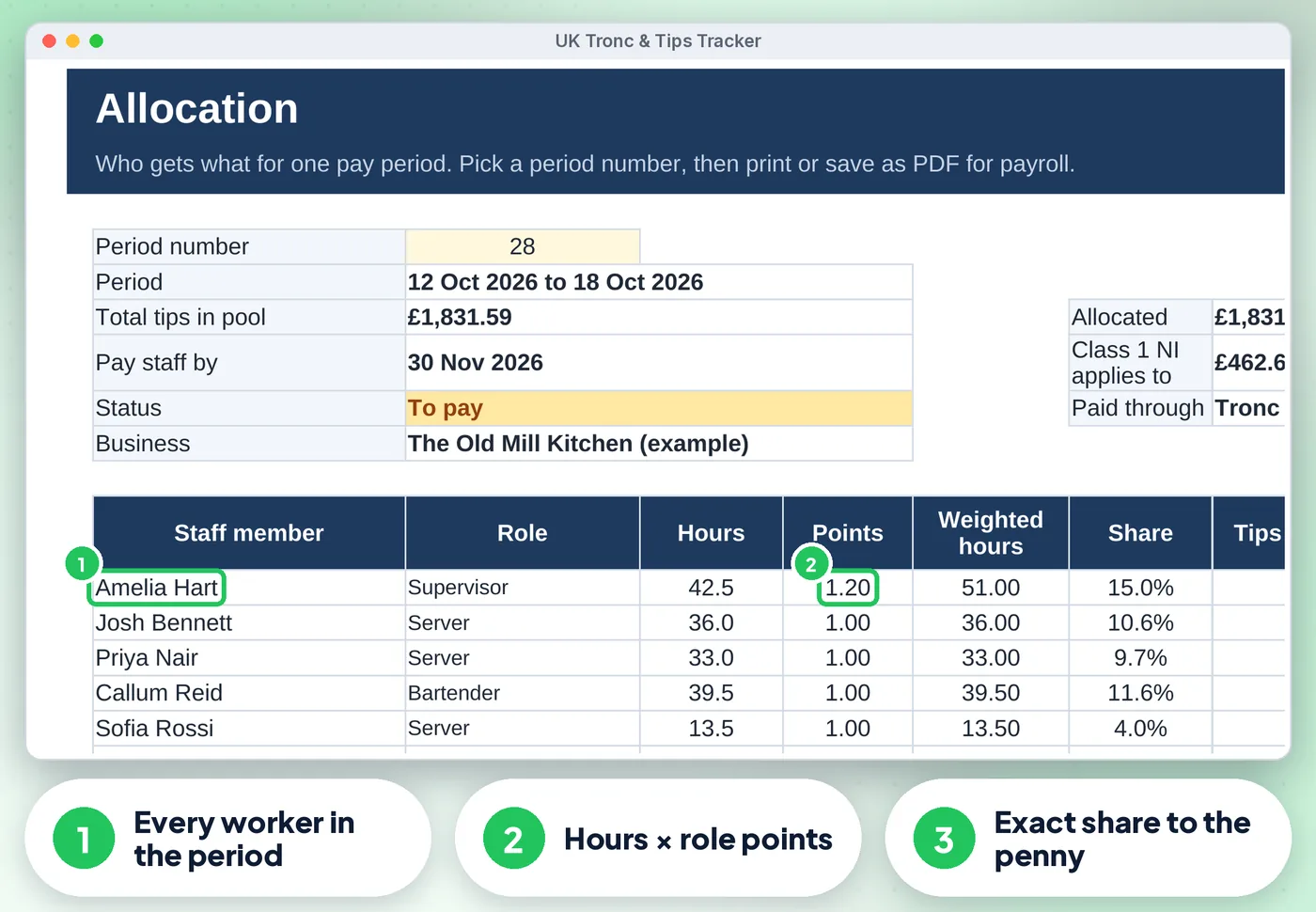
By hours worked, or hours × points per role you agree with your team (the Code of Practice lists role and hours as objective factors). Any rounding penny goes to the last shift, so each period adds up exactly
For restaurants, pubs, cafés & hotels
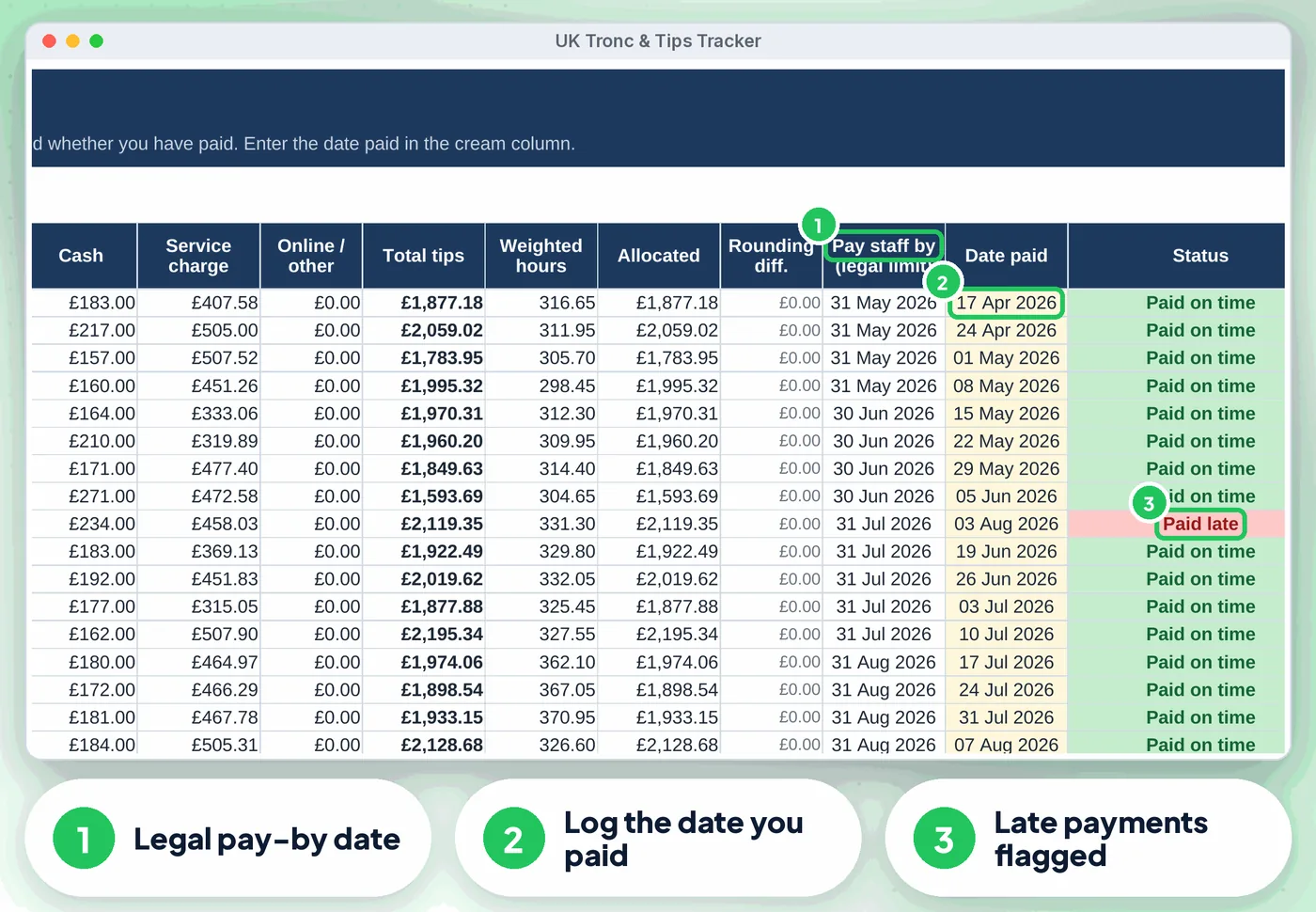
Since 1 October 2024 every tip, gratuity and service charge must reach your staff in full, be shared fairly, and be paid by the end of the month after the customer paid. This spreadsheet does the sums: log the day's tips and each person's hours, and it shares every pay period to the penny, shows the legal pay-by date, fills in your written tipping policy and keeps the records a worker can ask for.
Screens from the included example file. All names and figures are fictional.
The list
By hours worked, or hours × points per role you agree with your team (the Code of Practice lists role and hours as objective factors). Any rounding penny goes to the last shift, so each period adds up exactly
(end of the following month) and a status: open, to pay, overdue, paid on time or paid late
Pick a period for every person's hours, points, share and amount, ready to pass to payroll or the troncmaster
Choose who decides the shares (you, or an independent troncmaster) and your service charge type (optional or compulsory). Each period shows the tips that carry Class 1 NI (HMRC E24), with a 2026/27 NI estimate on the Dashboard
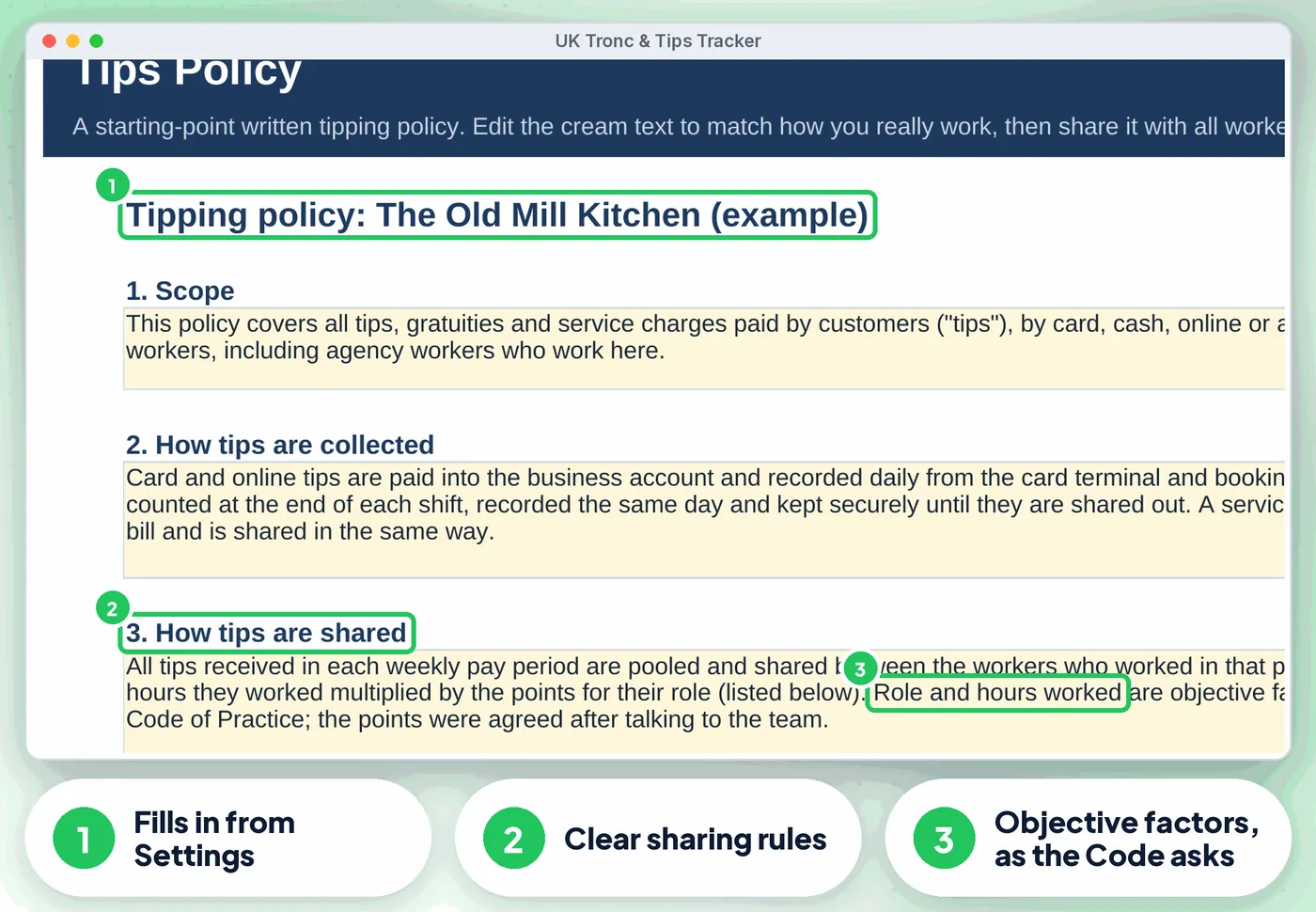
Role points, payroll or tronc PAYE, agency workers, records and reviews. Edit and share it with all workers
A tips record for any worker and any months, plus a log of written requests with the 4-week reply date and the once-every-3-months and 3-year rules
Tips this tax year, tips by month and source, shares by role, periods overdue, a "What needs your attention" list (pay-by dates, policy review, consultation, requests, tronc PAYE scheme) and 3 charts
Compare
| Feature | Paper or notes | A blank spreadsheet | This tracker |
|---|---|---|---|
| Fair shares to the penny | ✗No | ~ If you build it | ✓ Built in |
| Allocation | ✗No | ~ If you build it | ✓ Built in |
| Tax and NI | ✗No | ~ If you build it | ✓ Built in |
| Statement and Requests | ✗No | ~ If you build it | ✓ Built in |
| Dashboard | ✗No | ~ If you build it | ✓ Built in |
| Cost | Free, plus your time | Free, plus your time | £19.99 once |
What's inside
Is it right for you?
How it works
Your business, pay period, how you share and role points on Settings, then one row per person on Staff (about 10 minutes)
Tips by date and source on Tips, hours per person per day on Hours
Allocation for who gets what, the date paid on Periods, and the Tips Policy printed for your team
The offer
£19.99one-off · no subscription
Price includes VAT where applicable — calculated at checkout. Secure checkout by Payhip.
Digital download, nothing is posted. This spreadsheet is a record-keeping aid, not legal or tax advice and not payroll software. Terms & licence.
Bundle
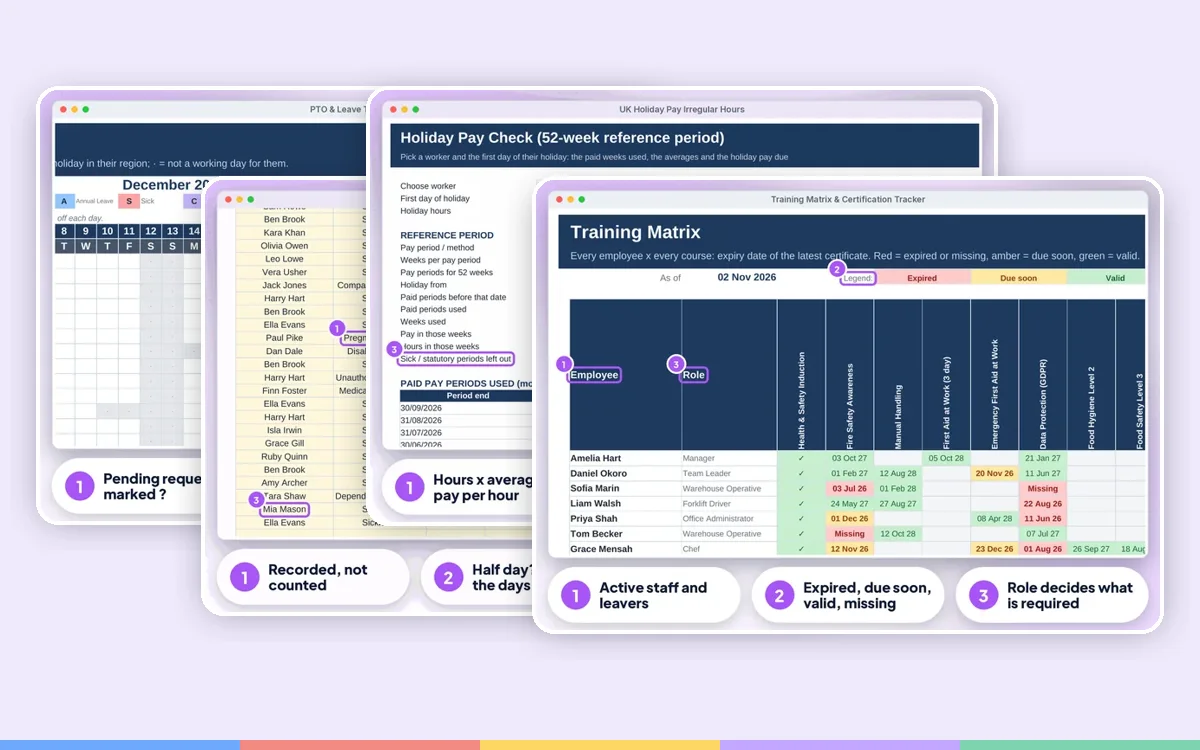 Employer Complete BundleIt's Monday, someone has called in sick, a new starter needs a right to work check, the tronc is due and the fire alarm test was last week, or was it?
£84.99£137.90 one by one
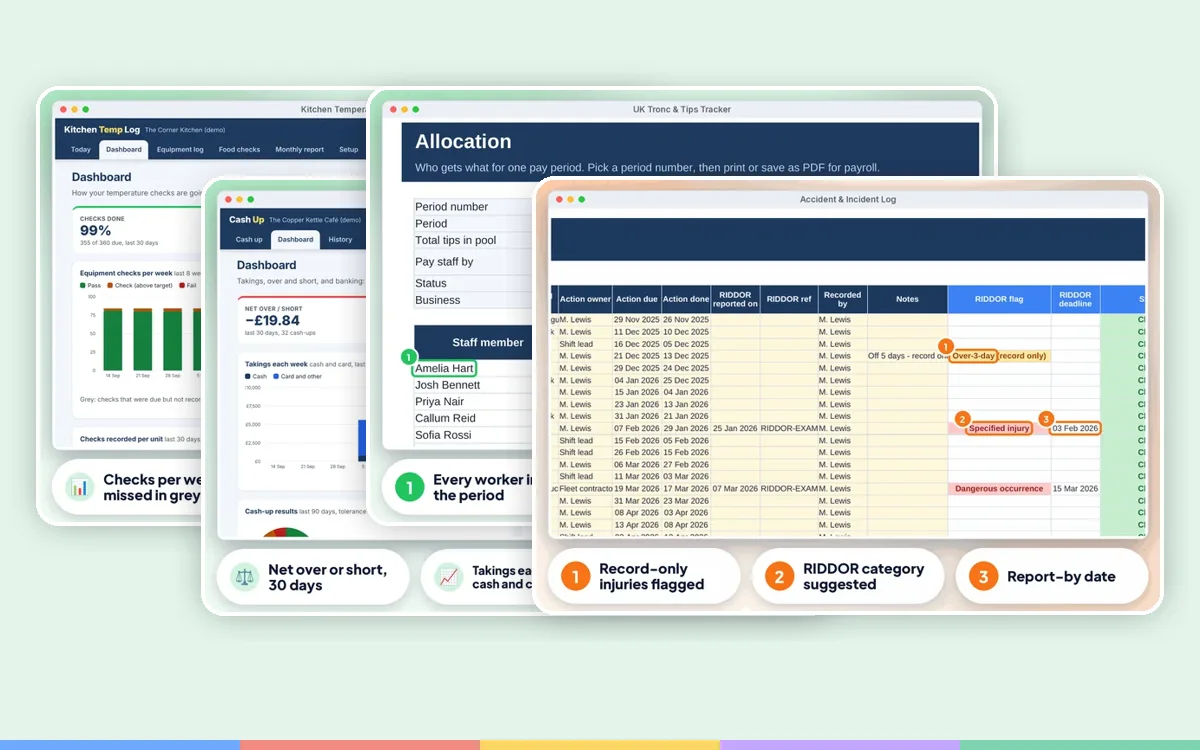 Hospitality BundleClose of service: fridges to check, tills to cash up, tips to share fairly, and the cleaning chemicals file still out of date.
£41.99£69.95 one by one
FAQ
No. It works out who gets what and when; you pay through payroll or the tronc.
You can view it in the Google Sheets app, but entering data is easiest on a computer.
This is a digital product. Nothing physical will be shipped. Your download link appears straight after checkout and is also emailed to you.
Yes. Message us at info@phkmedia.co.uk and we'll help you set it up.